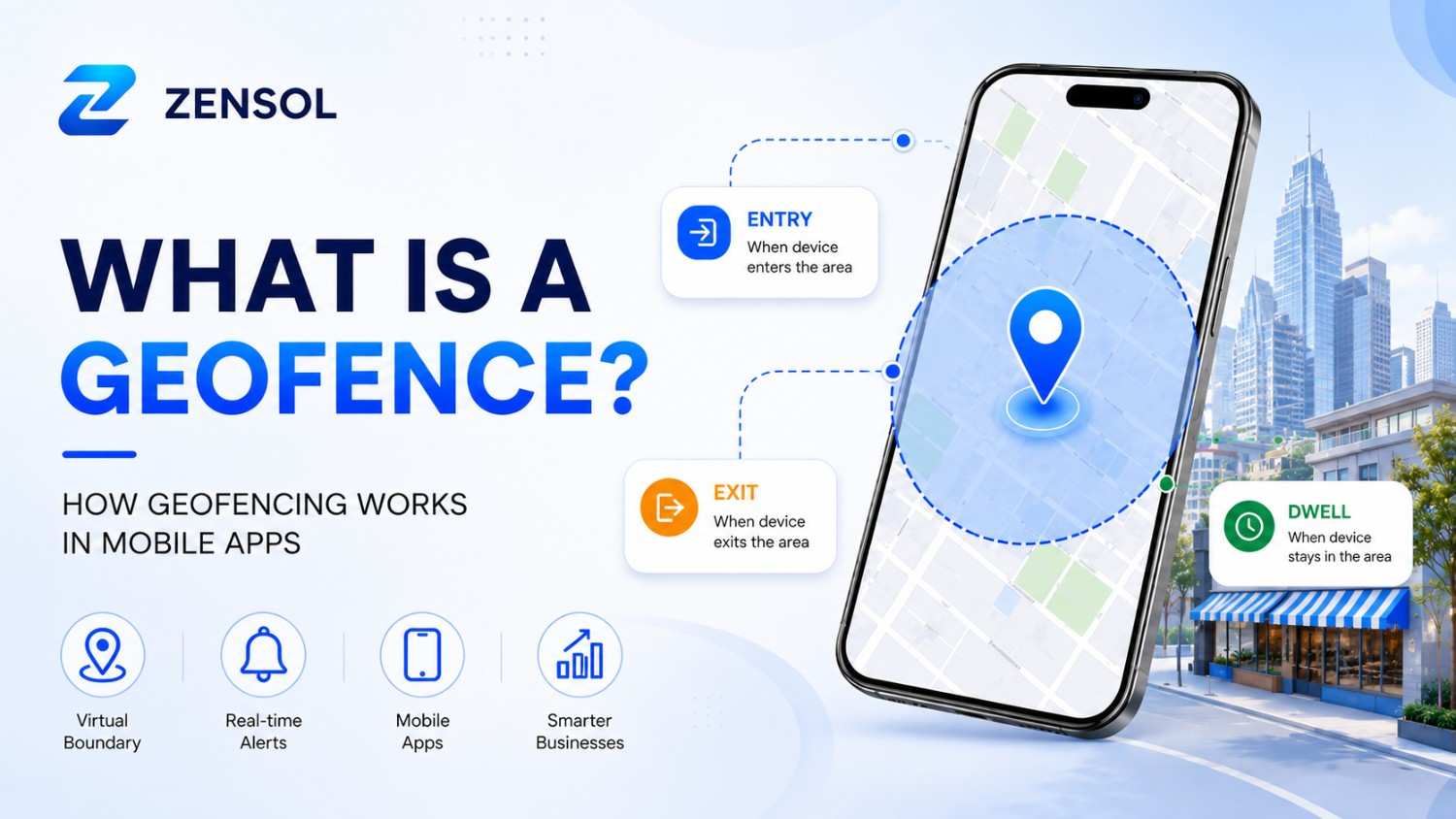
A geofence is a virtual boundary around a real-world location that allows mobile apps to respond when an authorized device enters, exits, or stays within a defined area. It connects location data with actions such as delivery updates, arrival notifications, and location-based reminders.
For example, a delivery app can detect when a driver reaches a customer's location and automatically update the order status. Similarly, a retail app can display relevant information when a customer enters a nearby store.
This technology is known as geofencing. It helps businesses automate location-based tasks, improve coordination, and create useful app experiences without relying on constant manual check-ins.
What Is a Geofence and How Is It Different From Geofencing?
A geofence is a software-defined boundary around a physical location. It can cover an area such as a retail store, warehouse, school, office, or delivery zone. When an authorized device enters, exits, or remains within that area, a connected application can respond according to predefined rules.
Geofencing is the process of monitoring these virtual boundaries and responding to location-based events. The geofence defines the area, while geofencing describes how an application uses that area to trigger actions.
For example, a business might create a virtual boundary around its warehouse. When a delivery vehicle enters the area, the system can record its arrival and notify the relevant team. This connects a physical event with an automated business process.
Real-World Examples of Geofencing
Geofencing connects physical locations with automated actions in mobile applications. Businesses use it to manage location-based activities, send relevant notifications, and improve customer experiences. Here are some common examples of how it works in different industries.
Ride-Sharing Applications
Ride-sharing applications can use geofencing to manage pickup and drop-off zones. For example, an airport pickup area can have a defined virtual boundary. When a driver enters that zone, the app can update arrival information and help coordinate passenger pickups, reducing confusion in busy locations.
Food Delivery Applications
Food delivery apps can use geofencing to improve order coordination. When a driver approaches a restaurant, the system can notify staff about an expected arrival. Similarly, when the driver enters the customer's delivery area, the app can trigger an arrival notification or update the order status.
Retail Applications
Retail businesses can use geofencing to connect nearby customers with relevant services and offers. Common applications include:
- Sending notifications about nearby stores.
- Alerting staff when customers arrive for curbside pickup.
- Providing location-based promotions.
- Sharing relevant loyalty rewards.
Healthcare Applications
Healthcare applications can use geofencing to support location-based reminders and operational workflows. For example, a hospital app might notify patients about an upcoming appointment when they arrive at the facility. Healthcare providers can also use defined zones to support authorized staff coordination, with appropriate privacy and permission controls.
How Does Geofencing Work in Mobile Apps?
Geofencing works by combining a virtual boundary, device location, operating-system services, and application logic. When a device crosses a defined boundary, the mobile platform can generate an event that the app uses to perform a specific action.
Implementing these features requires suitable location APIs, permission handling, and reliable app functionality. Businesses planning location-based features can explore professional mobile app development to build applications around their operational requirements.
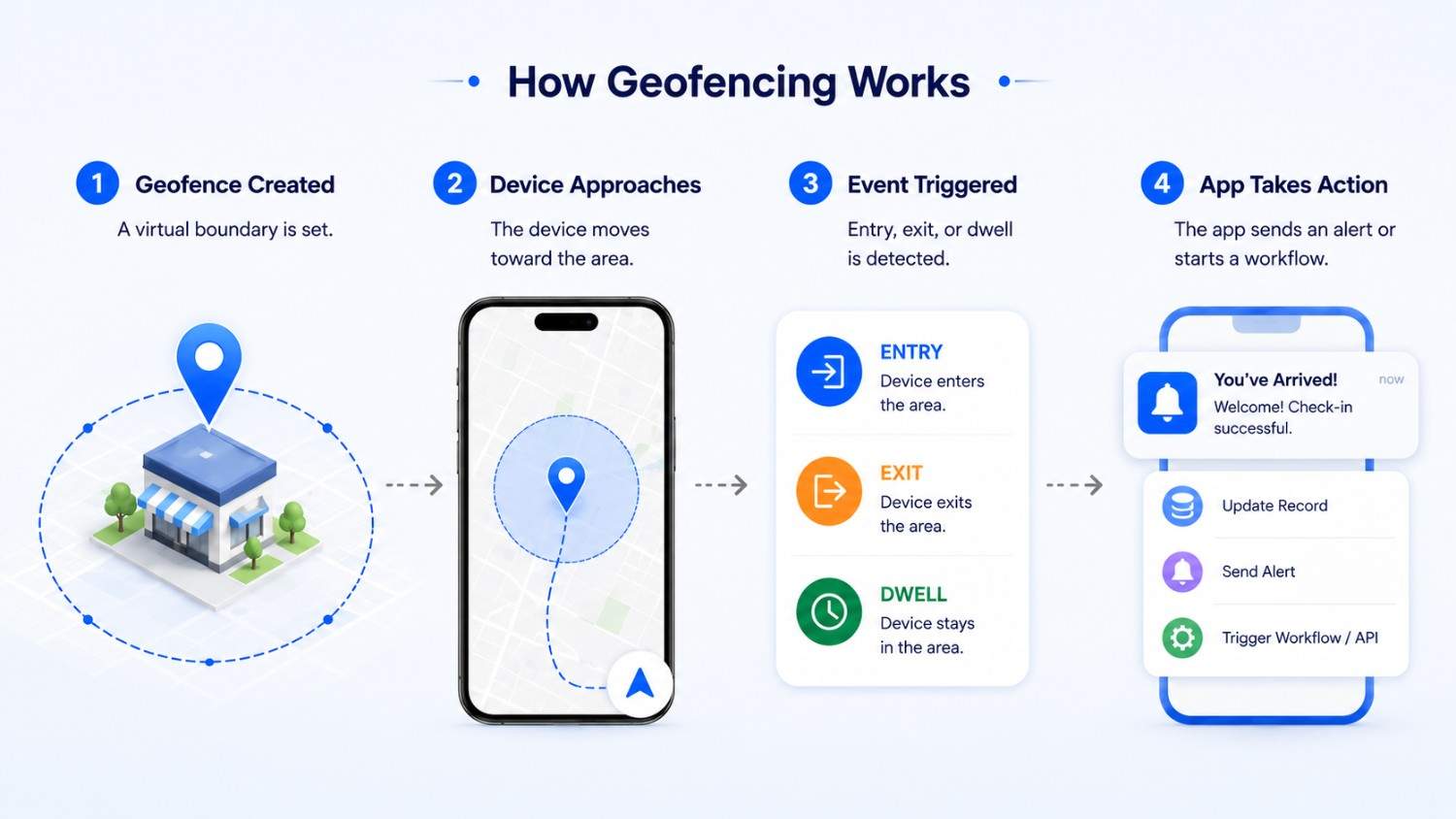
The process generally follows these steps:
- Define the boundary: Developers set a geographical location, radius, and event conditions.
- Request location permission: The app explains why location access is needed and requests appropriate authorization.
- Determine device location: The device estimates its position using available location signals, such as GPS, Wi-Fi, and cellular networks.
- Monitor the defined area: The mobile operating system checks whether the device meets the registered geofence conditions.
- Detect a location event: The system identifies an entry, exit, or supported dwell event.
- Trigger an action: The app may send a notification, update an order, record an arrival, or communicate with a backend service.
Geofencing does not always require continuous high-accuracy GPS tracking. Mobile platforms can manage registered geographic regions, although background permissions and operating-system restrictions affect when events are delivered.
Which Technologies Support Mobile Geofencing?
Mobile geofencing relies on location services that help devices estimate their position. GPS, Wi-Fi, and cellular networks can contribute to location detection, depending on the device and surrounding environment.
Android and iOS provide platform-level location capabilities that developers can use to monitor geographical regions. Bluetooth beacons can also support proximity-based experiences, particularly in indoor environments where GPS accuracy may be limited.
Cloud services and backend systems can process location events, connect them with business applications, and trigger actions such as notifications, order updates, or automated workflows.
For more complex requirements, custom software development can help connect location events with business platforms, databases, and automated workflows.
Entry, Exit, and Dwell Events
- Entry: A device enters the defined area and triggers an action.
- Exit: A device leaves the boundary and activates a predefined response.
- Dwell: A device remains inside the area for a specified period before an action occurs.
Geofencing vs. Geotargeting and Beacons
Geofencing, geotargeting, and Bluetooth beacons all use location information, but they serve different purposes.
| Technology | What It Does | Typical Range or Context | Common Uses |
|---|---|---|---|
| Geofencing | Detects entry, exit, or dwell events around a defined virtual boundary | Stores, worksites, delivery zones, neighborhoods | Arrival alerts, notifications, workflow automation |
| Geotargeting | Selects content or advertising based on a user's geographical location | Cities, regions, ZIP codes, audience segments | Localized advertising and regional content |
| Bluetooth Beacons | Detects nearby devices using Bluetooth signals | Indoor and close-proximity environments | In-store guidance and location-based experiences |
Geofencing triggers actions when a device enters or leaves a defined area, while geotargeting delivers content based on broader location information. Bluetooth beacons detect nearby devices, making them useful for indoor experiences. These technologies can also work together in applications such as airport navigation and retail services.
Geofencing vs. GPS Tracking: What's the Difference?
Although geofencing and GPS tracking both use location technology, they serve different purposes. Geofencing responds to specific location events, such as entering or leaving a defined area, while GPS tracking can provide ongoing location updates to monitor movement over time.
| Feature | Geofencing | GPS Tracking |
|---|---|---|
| Main Purpose | Trigger location-based actions | Monitor movement and location |
| Tracking Method | Event-based location monitoring | Ongoing location updates |
| Battery Usage | Depends on implementation and monitoring settings | Depends on update frequency and tracking configuration |
| Common Uses | Alerts, automation, delivery updates, reminders | Fleet tracking, vehicle monitoring, asset tracking |
Geofencing does not replace GPS tracking. Instead, both technologies can complement each other. Their battery consumption depends on factors such as location-update frequency, device settings, and implementation.
For example, a delivery company may use GPS tracking to monitor a vehicle's route while using geofencing to detect when the driver arrives at a customer's location. The first provides movement information, while the second triggers an arrival notification or updates the delivery status.
Geofencing Use Cases by Industry
Geofencing provides value across different industries by automating location-based tasks and improving operational efficiency.
- Fleet and Logistics: Automate vehicle arrival updates, monitor delivery zones, and support dispatch workflows.
- Retail: Trigger relevant promotions, support curbside pickup, and improve location-based customer experiences.
- Healthcare: Support appointment reminders and authorized location-based workflows.
- Workplace Operations: Record site arrivals, support attendance workflows, and generate restricted-area alerts where appropriate.
What Are the Benefits of Geofencing?
- More Relevant App Experiences: Applications can deliver information and actions based on a user's location.
- Automated Workflows: Location events can trigger predefined actions without requiring manual updates.
- Faster Arrival Notifications: Teams can receive timely updates when people or vehicles reach a designated area.
- Better Operational Coordination: Location events can connect with business systems to improve workflow management.
- Fewer Manual Check-Ins: Automated location detection reduces the need to record routine arrivals manually.
- Timely Customer Engagement: Businesses can deliver relevant notifications when users enter or leave specific areas.
Useful Location Data: Entry, exit, and dwell events can help identify operational patterns when collected responsibly.
These benefits are not guaranteed. Actual results depend on implementation quality, location permissions, user adoption, and how relevant the triggered actions are.
What Are the Limitations of Mobile Geofencing?
Location Accuracy
Geofencing accuracy depends on the device, operating system, available signals, and boundary size. GPS signals may weaken indoors, while Wi-Fi and cellular positioning can provide less precise location estimates.
Background App Restrictions
Android and iOS apply background location restrictions to protect privacy, battery life, and system performance. Apps must follow platform permission requirements, and geofence events may not always be delivered immediately.
Battery Consumption
Geofencing can be more efficient than continuous high-accuracy location tracking, but frequent location updates and unnecessary GPS usage can increase battery consumption. Efficient implementation helps balance accuracy and power use.
User Permissions
Geofencing may not work as expected when users deny location access, select approximate location, disable location services, or restrict background permissions. Apps should clearly explain why location access is needed before requesting it.
False Entry or Exit Events
Poorly configured or very small boundaries can cause delayed or incorrect entry and exit events. Developers can test different boundary sizes and use suitable transition-validation rules, such as dwell conditions, to reduce unwanted triggers.
Geofencing Privacy and Responsible Data Use
Location data can reveal where people live, work, and travel. Responsible geofencing starts with a clear purpose and collects only the location information needed to provide the intended service.
Apps should explain why they request location access, whether monitoring continues in the background, what information is stored, and how users can manage their permissions. Location data should be protected, retained only as long as necessary, and accurately described in the privacy policy.
Operational geofencing and advertising-based location tracking have different purposes. Privacy, consent, employment, and data-protection requirements vary by jurisdiction, so businesses should review the rules that apply to their specific use case.
Does Your Mobile App Need Geofencing?
Geofencing is useful when an application needs to respond to specific location-based events. Before adding this feature, consider the following questions:
- Does the app need to detect when a user or asset enters or leaves an area?
- Will geofencing provide a clear user or business benefit?
- Is the available location accuracy sufficient?
- Can the feature work within Android and iOS permission requirements?
- Can it be tested across different devices and real-world environments?
- Are location privacy and data-retention policies clearly defined?
- Could a simpler feature, such as manual check-ins, achieve the same result?
Geofencing should solve a genuine user or operational problem rather than simply add another feature to an application.
Planning the feature also requires a clear user experience, including understandable permission requests, useful notifications, and simple app navigation. Professional UI/UX design can help make these interactions easier for users.
How Much Does Geofencing App Development Cost?
Geofencing app development costs depend on the application's complexity, supported platforms, location requirements, backend infrastructure, and integrations. A basic location-triggered notification requires less development work than an advanced platform with automated workflows and enterprise integrations.
The overall investment also depends on the wider application architecture, development team, integrations, and testing requirements. Businesses can explore Zensol's software development services to understand the broader development capabilities available for custom projects.
Geofencing Development Cost by Project Type
| Type of Geofencing Solution | Development Scope | Typical Features |
|---|---|---|
| Basic Geofence Feature | Low complexity | Entry and exit alerts, location reminders, notifications |
| Business App with Geofencing | Medium complexity | Retail features, delivery updates, customer notifications |
| Advanced Geofencing Platform | High complexity | Fleet management, location-based automation, analytics, enterprise integrations |
Actual development costs depend on project scope, Android and iOS requirements, backend integrations, security, testing, and development resources. A detailed project assessment is necessary to provide an accurate estimate.
What Is Involved in Geofencing App Development?
Geofencing app development starts by defining the location-based requirements, including where boundaries should be placed and what actions should occur when a device enters or leaves an area. Developers then choose suitable location APIs, configure permissions, and implement entry, exit, and dwell event handling.
The application may also connect these events with backend systems to trigger notifications, update records, or automate business workflows. Testing should cover location accuracy, boundary transitions, background behavior, permissions, and different devices to ensure reliable operation.
Zensol Technologies provides mobile app development services for businesses looking to build location-aware applications with geofencing features, notifications, and backend integrations.
Final Thoughts
Geofencing allows mobile applications to respond to real-world location events, making it useful for deliveries, retail, fleet management, healthcare, and workplace operations. Its value comes from connecting a defined geographical area with an action that benefits users or businesses.
Successful implementation requires more than setting a virtual boundary. Developers must consider location accuracy, background permissions, battery consumption, and data privacy. Businesses planning a location-aware application should start with a clear use case and choose an implementation that delivers practical value without unnecessary tracking.